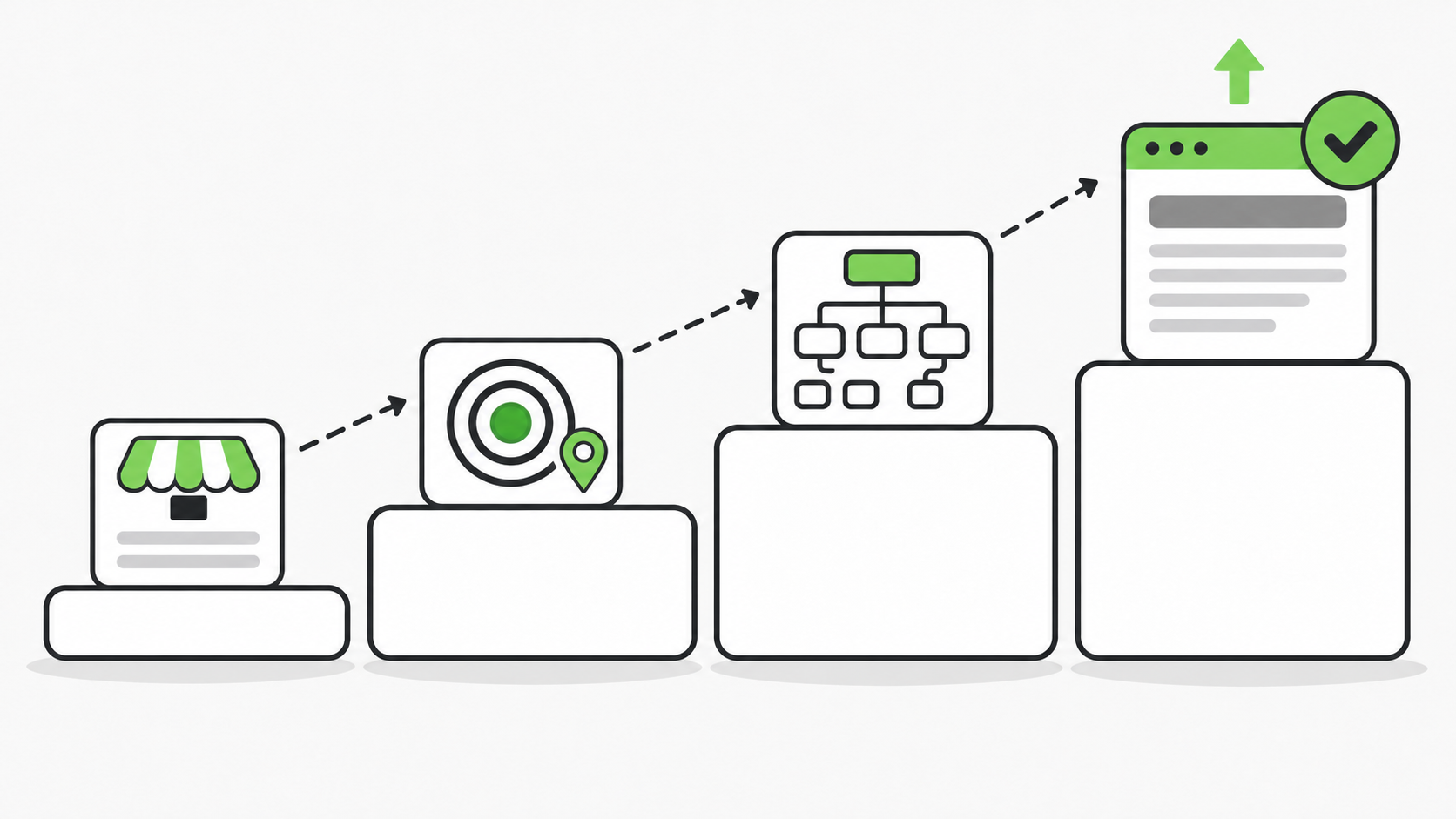
DIY SEO works in a specific order: first describe your business completely and accurately (name, industry, services, proprietary data, awards, key people), then choose which market you serve, then map your pages to that market, then work on page-level details like headings and internal links. Most beginners skip the first step and end up with generic recommendations that don’t reflect what makes their business different.
If you have never done SEO before, the order matters more than any single tactic. Get the foundation right and every later decision gets easier. Skip it and you end up chasing advice that was never meant for your business.
This guide is for people doing SEO themselves for the first time. DIY SEO is built for business owners who want to know what’s working, what’s broken, and what to do about it, without hiring someone to read the reports. That covers local storefronts, service-area businesses, multi-location businesses, B2B and professional services, ecommerce stores, and software companies.
Step 1: Describe your business completely before you touch anything else
The first thing beginners get wrong is not filling out their business profile completely. In the words of DIY SEO’s owner: “DIY SEO works best when you have as much accurate information as possible to get the best recommendations.”
What most people do instead is plug in their site and start collecting suggestions. The owner describes the result this way: “They usually just plug in their site and start getting random recommendations.” And the reason that is a problem is simple: “In SEO today being unique is key.”
Generic inputs produce generic advice. If your site and your profile look like every competitor’s, the recommendations you get, and the pages you build from them, will look like every competitor’s too.
What a complete business profile includes
A complete profile covers these items. Each one gives the software, or any strategist, something specific to work with:
- Business name and industry. This establishes who you are and which field you compete in.
- The services or products you offer. This defines what you actually sell, which drives which topics and pages make sense for your site.
- Proprietary information and data. Anything only your business has, such as your own data or methods, can become content competitors cannot copy.
- Awards you’ve won. These are concrete credibility signals you can reflect accurately on your pages.
- Key people in the business. Real people with real expertise give your content a human source and make it more trustworthy.
The Business Profile in DIY SEO asks for more than those five. The rest of the form is grouped like this:
| Section | What it asks for | What it is used for |
|---|---|---|
| Basics | Business model (local storefront, service-area, multi-location, B2B, ecommerce or software) and your website platform | Every fix guide is written for the platform you choose |
| Services | Primary services, highest-margin services, secondary services, and services you do not offer | Recommendations only target what you sell, starting with what earns the most. Anything listed as not offered is never recommended as a page |
| Location and contact | Service areas, address, phone, hours | Local SEO, directory listings, and keeping your name, address and phone consistent |
| Customers | Ideal customer, the problems customers come to you with, pricing position | Content topics, interview questions, and the AI prompts you track |
| Proof and expertise | What makes you different; reviews, awards and results; licenses, certifications and years in business; people who can be interviewed or named as authors | The software will not invent proof you have not listed |
| Market and voice | Known competitors, brand voice, goals for the next six months | Competitor research, and keeping drafted copy sounding like you |
Two fields are easy to skip and worth the minute they take. “Services you do NOT offer” stops recommendations for work you do not do. “Problems customers come to you with” should be in your customers’ real words, because those become content ideas.
Why unique, accurate details matter more than volume
The goal is not to fill every box with filler. The goal is accurate, specific information that is true of your business and no one else’s. Your own data, your credentials, and your people are what separate your pages from the next company’s.
Only include details you can stand behind. If you have not won awards, leave that field empty rather than inventing something. The profile form says the same thing next to the reviews, awards and results field: “Only real, verifiable items.” Accuracy is part of what makes a profile useful.
This guide makes no claims about results.
Step 2: Decide which market you actually serve
Two businesses can sell the same product and still need different SEO. As the owner puts it, “there’s a lot of businesses that sell the same products, but it’s a different market. So it’s very important that the software fully understands your business.”
Before you plan any content, answer two questions. Who is my most important customer? And who else do I also serve?
Same product, different market, different strategy (illustration)
Here is an example from the owner, used as an illustration of the idea rather than a customer case study.
Take a bulk supplier of food ingredients. “Sometimes a bulk supplier only sells to large commercial kitchen operations, but small bakeries and restaurants also need food supplies.” Same ingredients, two very different buyers. The owner’s point is that you need to be able to say which market matters most to you and which one you serve, “so you’re getting the right recommendations to reach the right customers.”
What changes when your market changes
According to the owner, the angle of the content is what changes the most. Your market also shapes several other things:
- Content angle. What you say, and to whom, shifts with the buyer. A supplier focused on large operations writes for different needs than one focused on small businesses.
- Heading tags. Headings reflect the language and priorities of your target buyer.
- Internal link opportunities. Which pages should link to which depends on the structure of your market.
- Topical authority. Your market “will dictate the overall direction of topical authority on the website,” meaning which subjects your site is built to be an expert on.
- Directory listings. Where your business should be listed depends on your industry and business model. A local storefront and a software company belong in different places.
One caution on that last point. This does not mean submitting your site to as many directories as possible. DIY SEO’s Directories and Citations screen gives you a short list matched to your industry and business model, in priority order, and its own guidance is: “Quality beats quantity. Skip mass-submission services.” Use the exact same name, address and phone on every listing.
Step 3: Map your pages to your market
Once you know your market, your page structure should follow it. The owner describes this as “your actual page mapping and hierarchy,” and it is where many DIY beginners get lost.
Page hierarchy for a business serving large operations
For a supplier focused on large-scale operations, the owner describes a hierarchy of Industry, then Markets, then Products. These businesses end up with “more industry pages that are targeted towards commercial applications.”
In simple form:
Industries → Markets → Products
In DIY SEO’s Site Architect, these levels have names. A hub organizes three or more main pages of one kind, such as an Industries page. A pillar covers one core service, product or industry completely. A niche page takes one pillar to one audience, use case or place.
Page hierarchy for a business serving smaller customers
A business targeting smaller facilities looks different. The owner says it “might just have products with pricing, because it’s more standardized for smaller quantities,” with industry pages that are “much more niched down.”
In simple form:
Products (with pricing) → niche industry pages
Neither structure is a universal rule. They are examples of how the plan changes with the business. Site Architect builds your page plan from four things: your business profile, the last 90 days of your Google Search Console searches, the pages already on your site, and the AI prompts you track. Two businesses with different profiles get different plans.
How to avoid thin or duplicate pages when mapping
A page map is a plan, not a quota. Build a page only when you have something useful and specific to say to that audience. Do not copy one page across several markets or locations with a few words swapped. If two pages would say essentially the same thing, make one stronger page instead.
DIY SEO checks for this at three points.
When the page plan is built. Site Architect only gives a niche page its own address when four things are all true: there is real demand, you do the work differently for that audience or place, you can show proof from it, and most of the page would be false if you moved it onto the parent page. Pages that fail get a different verdict: cover it as a section on the parent page, or build it later once you have the proof. The plan also includes a short list of page ideas it does not recommend, with the reason for each.
Before you add a page. The “Should I niche it?” check gives you a yes or no on whether a topic deserves its own page.
After the pages are live. The Site Audit flags pages under 300 words as thin content, flags duplicate title tags, and flags location pages that are near-copies of each other. The keyword cannibalization check finds searches where two of your own pages compete and names the one to keep.
The rule the product gives its own users is short: “One strong page beats several thin ones.”
Step 4: Apply the page-level basics
With your profile, market, and page map in place, the page-level work becomes clear instead of random. This is where headings and internal links come in. Both are things the owner named as shifting with your market.
- Headings. Write them for the specific buyer you chose in Step 2, using that market’s language. Every page in your Site Architect plan comes with a proposed main heading (H1). The Site Audit flags pages with a missing H1 or more than one.
- Title tags and meta descriptions. Each planned page also comes with a proposed title tag under 60 characters. The Site Audit flags titles that are missing, duplicated, too long or too short, and pages with no meta description.
- Internal links. Link related pages along the hierarchy you built in Step 3, such as from industry pages to the relevant markets and products. DIY SEO’s Internal Links screen starts from the pages Google already sends you traffic to, and each suggestion shows the page to edit, the exact sentence, and the anchor text to use. Use anchor text that describes the page you are linking to, and avoid repeating the same exact phrase everywhere.
- The basics underneath. The Site Audit also checks for images missing alt text, missing canonical tags, and pages with no structured data.
Each issue comes with a plain-English explanation and a link to the fix guide for your website platform. Fix critical issues first, then warnings, then run the audit again to confirm the change worked.
Where to start
The pattern across all four steps is the same: be specific about who you are, who you serve, and what you offer, then build pages that reflect it.
To put this into practice with DIY SEO:
- Complete your business profile in full: name, industry, services, proprietary information and data, awards, and key people.
- State which market is most important to you and which others you serve.
- Review the recommendations and page map that come back, and build only the pages you have something real to say on.
DIY SEO is $99 a month for every core feature, with six interview-based content pieces each month. New accounts start with a 7-day free trial. A card is required at checkout and you are not charged until the trial ends.